When trading Forex, you don’t always have to sit in front of the screen waiting for the perfect moment to click “buy” or “sell.” This is where Forex orders come in. Orders are instructions you give to your broker on how and when to execute your trades. Learning about the various types of Forex orders is crucial because it enables you to control risk, take profits, and trade more efficiently.
In this lesson, we’ll break down the main types of Forex orders every trader should know, with examples to make them super clear.
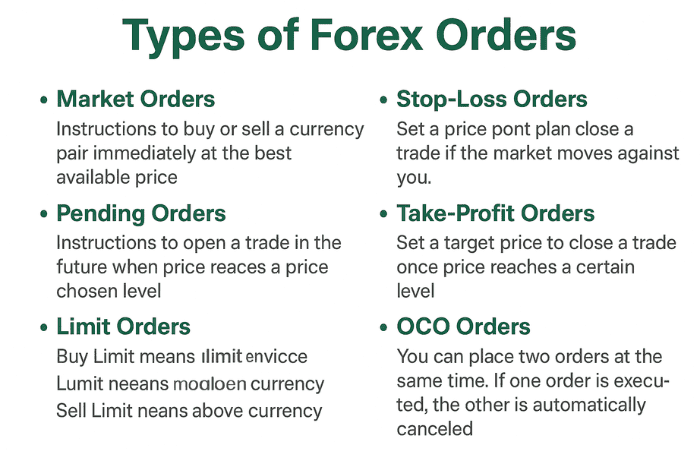
1. Market Orders
- A market order means you want to buy or sell a currency pair immediately at the best available price.
- Example: You place a market buy order on EUR/USD at 1.1200, and the broker instantly executes it at or around that price.
- This is useful when you want to enter the market immediately.
2. Pending Orders
Pending orders are instructions to open a trade in the future when the price reaches your chosen level. They let you automate trading instead of constantly watching charts.
a) Limit Orders
- Buy Limit: Place this below the current market price. You expect the price to drop, hit your order, and then bounce up.
- Example: The EUR/USD exchange rate is 1.1200. You set a Buy Limit at 1.1150. If the price drops there, your buy order triggers.
- Sell Limit: Place this above the current market price. You expect the price to rise, touch your level, then fall.
- Example: The EUR/USD exchange rate is 1.1200. You set a Sell Limit at 1.1250. If the price rises there, your sell order triggers.
👉 Limits are for catching retracements (buy low, sell high).
b) Stop Orders
- Buy Stop: Place this above the current price. You expect momentum to continue higher.
- Example: The EUR/USD exchange rate is 1.1200. You set a Buy Stop at 1.1250. If the price rises, your order is triggered.
- Sell Stop: Place this below the current price. You expect momentum to continue downward.
- Example: The EUR/USD exchange rate is 1.1200. You set a Sell Stop at 1.1150. If the price falls there, your order triggers.
👉 Stops are for trading breakouts or momentum moves.
3. Stop-Loss Orders
A stop-loss is your safety net. It closes your trade automatically if the price moves against you.
- Example: You buy EUR/USD at 1.1200 with a stop-loss at 1.1170. If the price drops there, you lose only 30 pips.
- Rule: Always use stop losses to protect your capital!
4. Take-Profit Orders
A take-profit order closes your trade once the price reaches your target.
- Example: You sell GBP/USD at 1.3000 and set a take-profit at 1.2950. If the price reaches 1.2950, you will automatically bank 50 pips.
- Tip: Combine stop-loss and take-profit for balanced risk management.
5. OCO (One Cancels the Other) Orders
An OCO order allows you to place two orders simultaneously — one above and one below the current price. When one triggers, the other is automatically canceled.
- Example: The EUR/USD exchange rate is 1.1200. You set a Buy Stop at 1.1250 and a Sell Stop at 1.1150. Whichever hits first activates, and the other disappears.
- Best for: Trading uncertain breakouts.
Wrap-up
Understanding the various types of Forex orders enables you to trade more intelligently, minimize unnecessary losses, and make more rational decisions. Market orders are for instant trades, while pending orders automate entries. Stop-loss and take-profit orders help control your risk and profits.